
Guide
Instructions
What the FM-1 does with KickSide on it, mode by mode. This page covers the parts every mode shares. Then read the guide to the mode you want.
SONG LEARN →
Songs, layers, levels, views, loops.
BACKTRACK →
Jam over a band: progressions, styles, kits.
SYNTH →
Presets, edit pages, effects, drums, saving.
The panel
Left of the screen: MASTER, SELECT (top row), PRESETS and ALGORITHM (second row), OCT− and OCT+. Right of it: K1–K4 (top), then two rows of buttons: FX SEL ENV LFO EDIT GLO and HOME SAVE ARP SEQ PLAY REC. The keys are below the screen. In these pages ALGO is short for ALGORITHM.
Switching on and choosing a mode
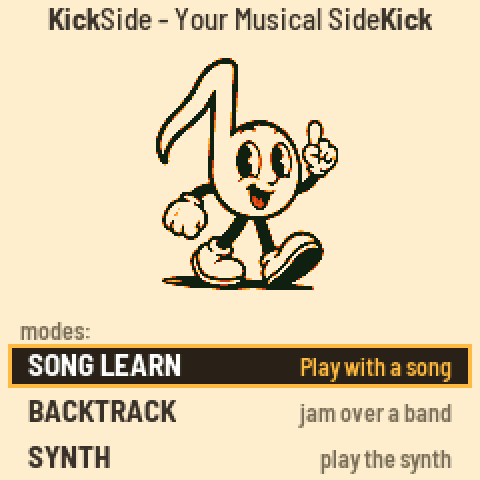
The splash shows the logo for about four seconds, with the firmware version at the lower right. Then the mode screen appears with the three modes.
- SELECT moves the cursor: SONG LEARN (“Play with a song”), BACKTRACK (“jam over a band”), SYNTH (“play the synth”).
- PLAY or EDIT starts the mode. The other encoders do nothing here.
- To get back: HOME tapped climbs one level at a time and ends here. Hold HOME for two seconds to jump to the mode screen from anywhere (a song stops). Settings has a “Switch mode” row too.

Controls that work everywhere
| Control | Does |
|---|---|
| MASTER | The volume. |
| OCT− OCT+ | The octave of the keys, three down to three up. |
| The keys | Play. What you hear depends on the mode. |
| GLO | The help for the screen you are on. Press it again for the settings. Any other button on the help goes back. (SYNTH has its own help.) |
| HOME tapped | Up one level; from a mode's first screen, to the mode screen. |
| HOME held 2 s | Straight to the mode screen. The song stops. |
A button that has no job on the screen you are on opens a small box, “NOT IMPLEMENTED”. Any button closes it. You can switch it off with the Pop-ups setting.
Pop-ups
When you turn a knob or press a button that changes a setting, a box appears over the screen with the setting's name and its new value: “Key: A (+2)”, “Tempo: 110 BPM”, “Harmony Complexity Level: 2 of 5”. The music and the lights carry on. The box closes 1.5 seconds after the last turn, or when you press something (which then does its job).
If you would rather not see them, set Pop-ups to OFF in Settings. That silences the value pop-ups, the “Track Selected” box and the “NOT IMPLEMENTED” box. Confirmations (“SAVED U05”), errors, questions and warnings still appear. Pop-ups is ON again after every firmware update.


Help and settings
GLO shows every control of the screen you came from, laid out like the panel, with the CPU load, the voices in use and the version. GLO again opens the Settings (in SONG LEARN and BACKTRACK; they are the same rows in both). Use SELECT to move, ALGO, PLAY or EDIT to change a value, and GLO or HOME to leave. Changes are saved when you leave.


| Setting | Values (first is the default) | What it does |
|---|---|---|
| Key lights blink | ON, OFF | The FM-1's keys flash at each attack of your part. |
| Count-in length | 1 BAR, 2 BARS | |
| Count-in volume | MEDIUM, LOW, HIGH | |
| Note names (notation) | ON, OFF | Letter names inside the notes in the notation views. |
| Zoom at start | 1.5 BARS, 3 BARS | How much the scrolling views show when a song opens. |
| Quiet level | 50 %, 25 % | How loud a layer set to QUIET plays. |
| Key lights | ON, OFF | The FM-1's keys light for your part. |
| Views (hide some) | a list | Choose which views EDIT steps through. Each layer keeps at least one. |
| Bass sound | +1 OCTAVE, REAL | +1 OCTAVE sounds better on the small speaker; the tab and the notation show the real notes. |
| Pop-ups | ON, OFF | See Pop-ups below. ON again after every firmware update. |
| Switch mode | PLAY goes to the mode screen. | |
| Chord boxes, tab | GUITAR, UKULELE | |
| Scale guide | PENTATONIC, FULL SCALE, CHORD TONES | Which notes BACKTRACK's scale views mark. |
| Wipe song store | a question | Hold PLAY for 2 seconds to erase every song you sent. The built-in songs stay. |
SYNTH has its own, shorter settings. See the SYNTH guide.